Schedule your NavLive demo
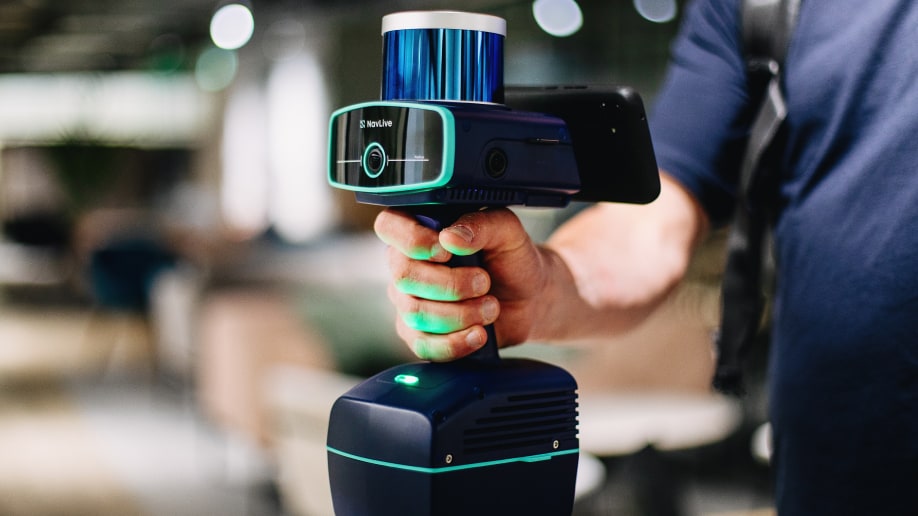
Everything you need to know about NavLive's handheld LiDAR scanner, from scan times and accuracy to BIM compatibility and real-world results.
Most single floors scan in 10–15 minutes depending on size and complexity. As a guide, one NavLive customer scanned an 8,434 ft² London office floor in 10 minutes. Larger or multi-floor buildings can typically be completed in a single site visit of an hour or so.
Your data is available immediately after the scan. Point cloud data, reference photos, and 2D floor plans are all processed on-device, so you can review everything straight away. From there, you can upload the data to the NavLive Portal to access it from anywhere. Upload times depend on scan size and WiFi strength, but most projects are ready within 10–15 minutes.
As soon as your point cloud data is downloaded, it can be imported into your BIM software (such as Revit, AutoCAD, SketchUp etc) to start creating drawings right away. The total time depends on the size and complexity of the site, but the workflow is significantly faster than traditional methods. As a guide, a 10-minute site scan can typically be turned into a finished architectural drawing in around two hours.
No. NavLive is designed to capture everything in a single pass — point cloud, photographic reference, and spatial geometry simultaneously. Design and M&E teams can access the full dataset via the NavLive Portal while the surveyor is still travelling back from site.
For most fit-out, renovation, and as-built documentation work, yes. NavLive produces RICS-grade 1:100 surveys. For projects requiring millimetre-grade tolerances or formal RICS sign-off at the highest accuracy band, speak to us about whether NavLive is the right fit for your specific requirements.
In controlled conditions, NavLive achieves measurement accuracy of 1–2cm. This meets the RICS standard for 1:100 surveys, making it appropriate for the vast majority of architectural, fit-out, and construction documentation work.
SLAM stands for Simultaneous Localisation and Mapping. As you walk through a building, the scanner continuously calculates its own position using LiDAR sensors, cameras, and an inertial measurement unit, building a precise 3D map of the space at the same time. NavLive's SLAM engine was developed from PhD research in robotics at the University of Oxford, and runs entirely on the device with no dependency on GPS or external reference systems. This is what allows it to work accurately in basement levels, internal rooms, and any GPS-denied environment.
Yes. NavLive uses LiDAR rather than photogrammetry as its primary spatial sensing method, so it does not depend on visible light to build the 3D model. The onboard cameras capture reference images where lighting allows, but the point cloud data is unaffected by darkness.
The NavLive scanner has a maximum effective range of 60 metres, making it suitable for large open-plan spaces as well as typical room-scale environments.
NavLive generates approximately 10k points per 1 square meter surface. This provides sufficient resolution for architectural drawing production, BIM modelling, and construction documentation.
NavLive exports: point clouds in PCD, E57, LAZ and LAS format; 2D drawings in DXF and PDF; and reference photography in JPG. All outputs are available through the NavLive Portal immediately after a scan is processed and uploaded to your account.
Yes. NavLive is an Autodesk Authorized Developer. Point cloud data in E57 or LAS format imports directly into Revit for scan-to-BIM workflows. NavLive customers regularly produce complete Revit models within two hours of completing a site scan.
NavLive data is compatible with AutoCAD, Archicad, SketchUp, BricsCAD, and DraftSight, among others. The E57 and LAS point cloud formats are industry-standard and supported by virtually all professional CAD and BIM platforms. DWG and DXF exports are directly compatible with any AutoCAD-based workflow.
Yes, this is one of the primary workflows NavLive is designed for. The scanner captures the as-built geometry of a space; that data is exported as a point cloud and imported into Revit or another BIM platform as the basis for accurate model creation. The photographic reference captured simultaneously helps resolve ambiguous details without requiring a return visit.
Yes. Once uploaded, scan data is available to everyone on your team through the NavLive Portal, accessible from any device with a browser. Design teams, M&E coordinators, and project managers can all work from the same verified dataset simultaneously.
No. NavLive is designed to be operated by any member of a site or design team with minimal training. The on-board AI handles all processing—the operator simply walks through the space with the device. There is no tripod setup, no scan station registration, and no processing step required before leaving the building. View our support guide
Yes. Because there's no tripod, no equipment to set up in each room, and minimal disruption to the space, NavLive can be used in active offices, occupied commercial premises, and live construction sites.
The NavLive scanner battery provides approximately one hour of active scanning time. For larger projects, the battery is hot-swappable (replacement takes seconds), and the included spare battery allows for continuous scanning.
Yes. The self-contained, handheld form factor makes NavLive easy to travel with. For teams working across multiple countries, a single well-documented site visit can capture everything needed—reducing the need for repeat travel to verify details or capture missed measurements.
FARO and Leica make excellent tripod-mounted static scanners. They achieve very high accuracy but require setup in a fixed position for every scan station. In a typical building, this means moving and re-levelling the device in each room, which can take a full day or more for a full floor. NavLive is fully mobile—one continuous walk captures the entire space. For architectural documentation, surveys, and progress capture where speed and ease of deployment matter, NavLive is significantly faster. For projects requiring the highest point density in a small, static area, a tripod scanner may still be the right tool.
NavVis produces high-quality mobile mapping systems. Their VLX is a wearable backpack scanner and their M6 is a trolley-mounted unit. Both are strong products, but they are priced at the top of the professional market and are designed primarily for large-scale enterprise deployments. Also, both require time for post processing, usually taking anywhere from a few hours to a day - meaning users wont get results straight away. NavLive is handheld, lighter, and priced to be accessible to individual firms rather than only large enterprises. If you'd like a direct comparison, see our full scanner comparison article. Read the comparison
Please contact the team at sales@navlive.ai to discuss purchase options.
NavLive also offers a managed service through its Scan2Plan feature, where the team handles scanning and delivers finished architectural drawings. For more details, please visit this page.
NavLive is used across residential, commercial, industrial, and public sector projects. The best way to assess fit is through a live demonstration. We'll come to your office, scan a floor, and show you the output in a single 30-minute visit. Book your NavLive demo now
NavLive is currently used on projects in the UK and internationally. Contact sales@navlive.ai to discuss availability and distribution in your region.
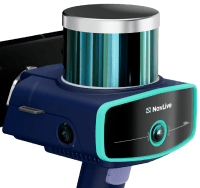
Get accurate 2D and 3D building site drawings in minutes (not days)

Explore all your 2D and 3D scans from anywhere via a cloud-based platform



+ Others
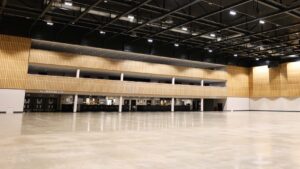
Scanning the Arena MK Auditorium with NavLive
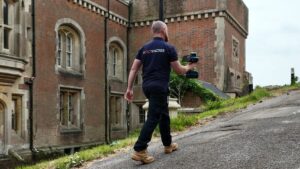
Scanning a Former Prison Turned Film Set
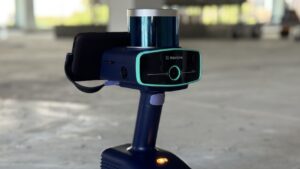
Scanning a Commercial Floor Plate for Office Conversion
See All NavLive Demo ScansNavLive for Office Fit-Out & Refurb Companies
View NowNavLive for Building Asset Managers
View NowHow BW Transformed Their Site Surveys with the NavLive Scanner
Read BW's Customer Story