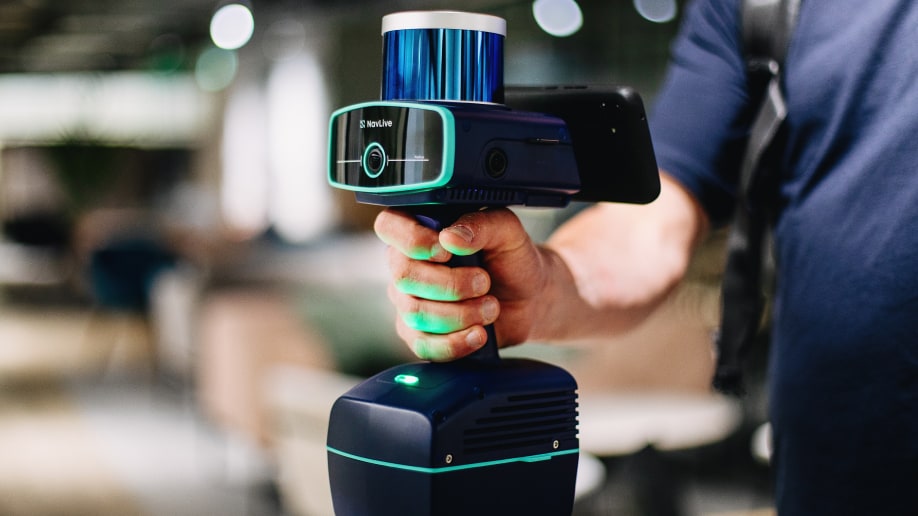
NavLive Introduces Control Points for Enhanced Scan Accuracy
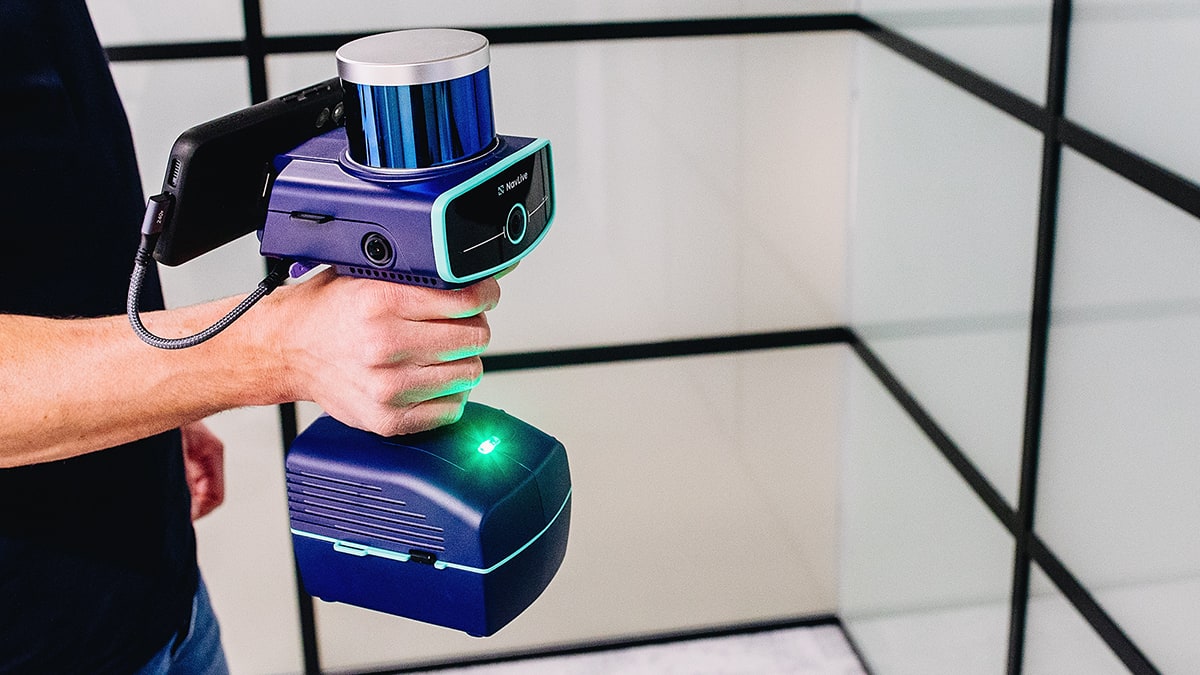
In 3D building scanning, precision is everything. Even the most advanced construction scanners can experience slight inaccuracies or struggle to perfectly align multiple scans of the same space.
These might seem insignificant at first, but on a live project they can quickly turn into costly issues.
That is why the new Control Points feature in the NavLive Portal is such an important step forward. It gives users the tools to bring reliable ground truth into every scan.
By combining data from AI and LiDAR, the portal allows control points to be used as dynamic references that continually improve accuracy across your entire project.
Ground Your Scans in Reality
Control points act as the anchor between your 3D scans and the real world. They are physical markers placed on site, such as nails, checkerboards, permanent building markers, or specialised survey targets, that represent known coordinates in space.

These control points can now be directly synced to your NavLive project, meaning you can capture them during your scan, and link them to real-world positions.
This connection establishes a verified coordinate framework so your 3D data aligns perfectly with physical site conditions.
By grounding your scans in real-world accuracy, your data becomes more than a visual model. It becomes a trusted, measurable record that supports every phase of construction from layout verification and quality checks to digital twin creation and long-term documentation.
Fix Drift and Merge Multiple Scans

Mobile 3D laser scanning offers flexibility and speed, but it can also introduce drift – a term referring to the small shifts in accuracy that accumulate over time. Our Control Points feature helps correct issues with drift by providing stable reference markers that maintain alignment.
When you process your data through the Portal, captured control points are automatically recognised and used to adjust the scan. The result is cleaner and more accurate outputs that remain consistent no matter how complex or large the space is.
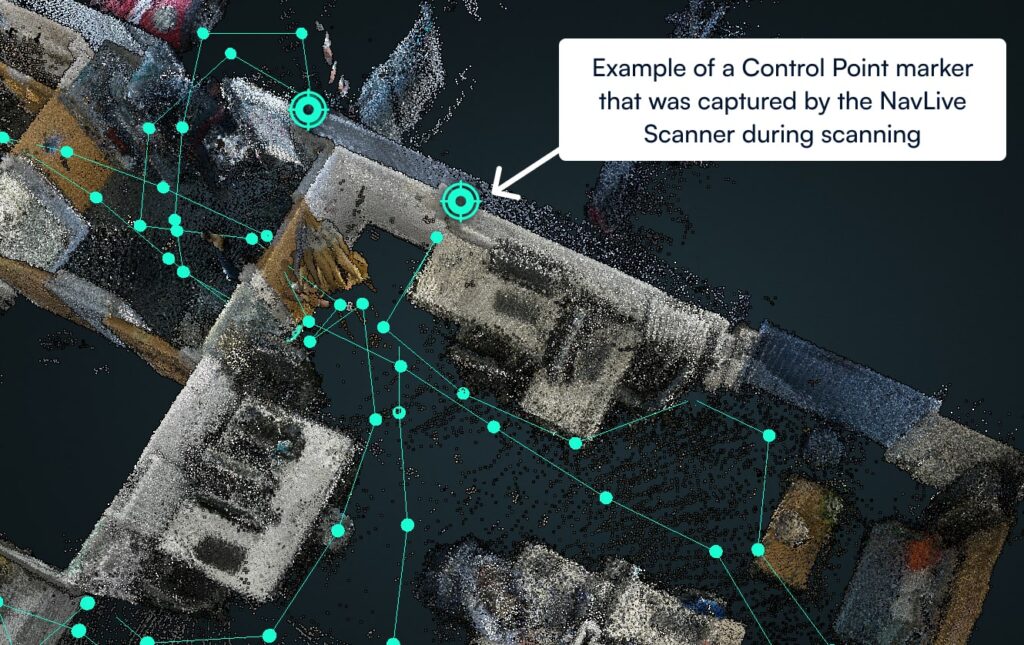
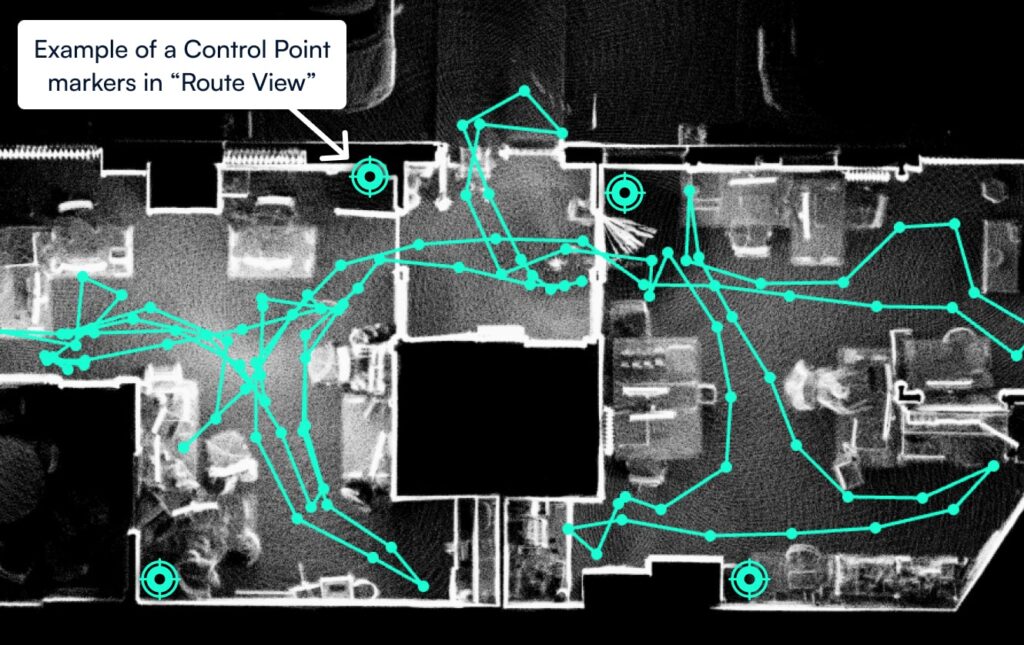
You can also use control points to align multiple scans from the same location.
By capturing the same markers across different scans, you can merge them into a single, precisely registered point cloud. This is ideal for scanning buildings in sections or revisiting a site over time to track changes, validate progress, or detect deviations.
Flexible Alignment for Every Project
Every project has unique accuracy requirements, and this new feature provides flexible options for aligning your data.
- Simple Alignment moves the entire scan to best fit the captured control points. It is quick, efficient, and well suited for smaller datasets or lower accuracy references.
- Optimised Alignment goes further by adjusting the point cloud itself to achieve the most precise fit. This process corrects drift and ensures the highest level of confidence in your results.
To support this process, the NavLive Portal now provides interactive graphs and visualisations that show the difference between your captured points and the imported control points. This makes it easy to identify inconsistencies, assess accuracy, and make informed decisions without leaving the platform.
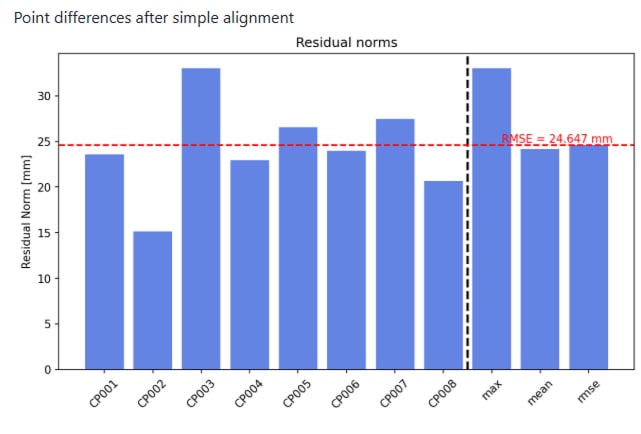
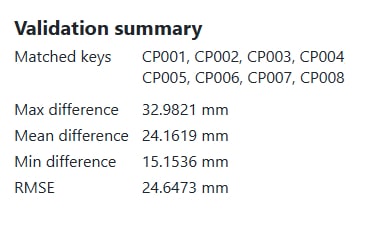
Residual Norm – Measures how closely each captured point matches its corresponding Control Point. Lower values indicate a better position match for that individual point.
RMSE (Root Mean Squared Error) – Indicates the overall fit of the scan relative to the imported Control Points. Lower values represent a more accurate alignment across all points.
Confidence in Every Scan
Accurate reference systems are the foundation of reliable 3D scanning. This new functionality to work with Control Points in NavLive ensures that every scan you produce is validated, consistent, and grounded in real-world coordinates. Teams can export the results to align, verify, and merge scans faster, creating data that can be trusted.
Construction professionals, engineers, and surveyors gain fewer errors, less rework, and greater confidence in every on-site decision.
This is not only about improving accuracy. It is about giving your data meaning, context, and measurable reliability. Transform your scans from stand-alone visuals into actionable, verifiable insights that reveal the true state of the built environment
To learn more about how to work with control points in NavLive, please click here to read our full, in-depth user guide.
Ready to take the next step? Book a NavLive demo with our team now. We’d love the opportunity to show you how NavLive is helping leading construction firms capture 3D site plans and 2D floor plans.